ThermoPro TP15H/P15H Thermometer Manual: A Comprehensive Guide
This manual details the ThermoPro TP15H/P15H, offering instructions for accurate temperature readings, calibration, and optimal use in various cooking scenarios.
The ThermoPro TP15H/P15H is a precision-engineered, waterproof instant-read thermometer designed to elevate your cooking experience. This digital food thermometer quickly delivers accurate temperature readings, eliminating guesswork and ensuring perfectly cooked meals every time. Whether you’re grilling, roasting, frying, or baking, the TP15H/P15H provides reliable performance for both indoor and outdoor cooking.
Featuring a user-friendly design and intuitive controls, this thermometer is suitable for both novice cooks and seasoned professionals. Its needle-tip probe allows for precise temperature measurement, while the backlit display ensures clear visibility in any lighting conditions. The TP15H/P15H is a versatile tool for achieving culinary excellence, offering consistent results and enhancing your confidence in the kitchen. It comes packaged with a battery and a detailed user manual to guide you.
What’s Included in the Box
Upon opening your ThermoPro TP15H/P15H package, you will find everything needed to begin enjoying precise temperature monitoring. The box contains the ThermoPro TP15H/P15H digital instant-read thermometer itself, boasting a sleek and durable design. A CR2032 button cell battery is included, pre-installed for immediate use, allowing you to start taking temperature readings right away.
Furthermore, a comprehensive user manual is provided, detailing all features, functions, and troubleshooting tips to maximize your experience. The thermometer arrives well-packaged in a slim, protective box, ensuring safe delivery. These components combine to offer a complete and ready-to-use solution for achieving perfectly cooked food, simplifying your cooking process and enhancing your culinary results from the very first use.
Key Features and Benefits
The ThermoPro TP15H/P15H boasts several key features designed for optimal cooking precision and convenience. It delivers incredibly fast readings, achieving accurate results in just 3-4 seconds, eliminating guesswork. Its waterproof construction allows for worry-free cleaning and use, even during wet conditions.
A convenient backlight function ensures readability in low-light environments, perfect for grilling or nighttime cooking. The thermometer offers calibration functionality, maintaining accuracy over time. Its ambidextrous design caters to both left and right-handed users. Benefit from properly cooked food, avoiding overcooking or undercooking. Enjoy a reliable tool for BBQ, grilling, and all your culinary needs, enhancing your cooking skills and delivering consistently delicious results.
Understanding the Thermometer Components
This section details the ThermoPro TP15H/P15H’s parts: the display, buttons, and probe, explaining their functions for effective temperature measurement and operation.
Display Overview
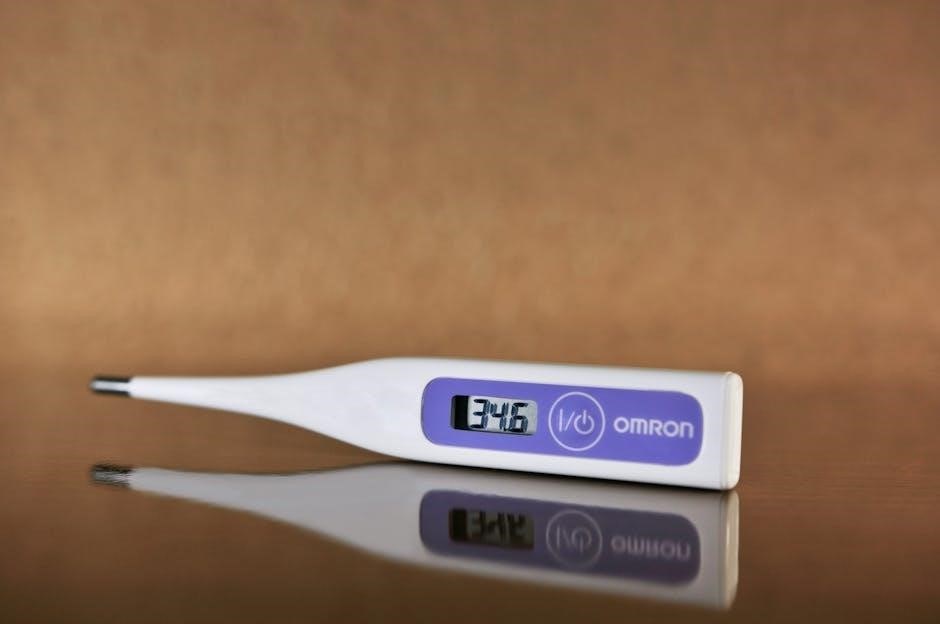
The ThermoPro TP15H/P15H features a clear, backlit LCD display designed for easy readability in various lighting conditions. The primary area showcases the current food temperature, prominently displayed in large digits. Units – either Celsius or Fahrenheit – are clearly indicated.
Below the temperature reading, you’ll find icons representing different functions, such as battery level and auto-off status. A “HOLD” indicator appears when the temperature reading is locked. The display also provides visual cues during calibration procedures.
The ambidextrous design allows comfortable viewing from any angle. The backlight enhances visibility, especially when cooking in dimly lit environments like grilling at night. The display is designed to provide instant and accurate temperature information, eliminating guesswork from your cooking process.
Button Functions
The ThermoPro TP15H/P15H utilizes a minimal button interface for intuitive operation. The primary “ON/OFF” button powers the thermometer on and off, conserving battery life when not in use. A short press activates the backlight, enhancing visibility in low-light conditions.
The “HOLD” button freezes the current temperature reading on the display, allowing for convenient observation without needing to maintain probe contact;
Crucially, the “CAL” button initiates the calibration mode, enabling users to ensure accuracy. Pressing and holding this button allows for adjustments to maintain precise temperature measurements. These buttons are designed for easy access, even with wet or greasy hands, ensuring seamless operation during cooking.
Probe Details
The ThermoPro TP15H/P15H features a high-precision, food-grade stainless steel probe. This probe is designed for rapid and accurate temperature readings, achieving results in just 3-4 seconds. Its needle-tip design allows for easy insertion into various foods, minimizing puncture marks and ensuring minimal impact on the food’s texture.
The probe is waterproof, facilitating easy cleaning under running water. However, avoid prolonged submersion of the entire thermometer unit. The length of the probe is optimized for safe and effective temperature measurement in a wide range of cooking applications, from thin steaks to larger roasts.
Getting Started: Initial Setup
Begin by installing the battery and powering on the device. A quick initial calibration check ensures accurate temperature readings from the start of use.
Installing the Battery
The ThermoPro TP15H/P15H thermometer requires a battery to operate. Typically, this model utilizes a CR2032 button cell battery, often included in the packaging with your new thermometer. To install, locate the battery compartment, usually on the back or side of the device. Gently slide or pry open the battery cover – avoid using excessive force.
Insert the battery, ensuring correct polarity as indicated inside the compartment (+ and ─ symbols). A misaligned battery will prevent the thermometer from powering on. Once the battery is securely in place, carefully close the battery compartment cover until it clicks shut. A properly installed battery will allow for immediate use of the thermometer’s features, providing accurate and reliable temperature readings for all your cooking needs.
Powering On/Off
The ThermoPro TP15H/P15H thermometer features a simple power on/off mechanism for convenient use. To power on the device, press and hold the “ON/OFF” button for approximately two seconds. The display will illuminate, indicating the thermometer is active and ready for temperature readings. The display will also briefly show the current battery level.
To power off the thermometer, press and hold the same “ON/OFF” button for another two seconds. The display will turn off, conserving battery life. The auto-off function, detailed elsewhere in this manual, will also power down the device after a period of inactivity. Proper powering on and off ensures optimal performance and extends the lifespan of your ThermoPro thermometer.
Initial Calibration Check
Upon first use, and periodically thereafter, performing an initial calibration check ensures the ThermoPro TP15H/P15H delivers accurate temperature readings. A common method involves using an ice bath. Fill a glass with ice and add just enough water to cover the ice. Insert the thermometer probe into the ice water, ensuring it doesn’t touch the glass.
Allow the thermometer to stabilize – the reading should be 32°F (0°C). If the reading deviates, refer to the ‘Calibration Procedure’ section of this manual for detailed instructions on how to adjust the thermometer for optimal accuracy. Regular calibration maintains the reliability of your ThermoPro, guaranteeing perfectly cooked meals every time;

Using the ThermoPro TP15H/P15H
Achieve perfectly cooked food quickly and easily with the ThermoPro TP15H/P15H! This thermometer provides rapid, accurate readings for diverse culinary applications.
Taking a Temperature Reading
To obtain an accurate temperature reading with your ThermoPro TP15H/P15H, begin by ensuring the probe is clean and dry. Gently insert the probe into the thickest part of the food, avoiding bone, fat, or gristle for the most precise result.
The thermometer achieves readings in just 3-4 seconds, displaying the temperature on the clear LCD screen. Hold the thermometer steady during measurement. For thinner foods, carefully insert the probe at an angle to reach the center. Remember to avoid over-inserting the probe, as this can damage the thermometer or the food.
Allow the reading to stabilize before recording the temperature. The ThermoPro TP15H/P15H is designed to eliminate guesswork, helping you serve properly cooked food consistently.
Measuring Different Types of Food
The ThermoPro TP15H/P15H excels at measuring temperatures across a wide range of foods. For meats, insert the probe into the thickest part, avoiding bone. When measuring poultry, target the thickest portion of the thigh. For fish, insert the probe into the thickest area, ensuring it doesn’t touch the backbone.
When checking the temperature of liquids like oil or candy, be extremely cautious and ensure the probe is fully submerged but doesn’t touch the bottom of the container. The needle-tip probe allows for easy insertion without leaving large puncture marks.
Remember to consult recommended internal temperatures for different food types to ensure safe and delicious results. This thermometer cuts out all the guesswork!
Using the Backlight Function
The ThermoPro TP15H/P15H features a convenient backlight function for enhanced visibility in low-light conditions. This is particularly useful when grilling at night or cooking in dimly lit kitchens. The backlight automatically activates when the thermometer is in use, illuminating the display for easy reading.
To manually activate or deactivate the backlight, briefly press any button on the thermometer. This ensures you can always see the temperature clearly, even without ambient light. The ambidextrous backlit display provides comfortable viewing from any angle.
Conserving battery life, the backlight will automatically turn off after a period of inactivity.
Advanced Features & Settings
Explore calibration options, auto-off settings, and temperature unit selection (Celsius/Fahrenheit) to customize your ThermoPro TP15H/P15H for precise cooking control.
Calibration Procedure
Ensuring accuracy is vital, and the ThermoPro TP15H/P15H allows for calibration. To calibrate, use an ice bath (32°F / 0°C) – fill a container with ice and water, ensuring the probe is submerged but doesn’t touch the container’s sides or bottom.
Wait for a stable reading, then access the calibration mode (refer to the ‘Button Functions’ section for specifics). Adjust the reading until it matches 32°F/0°C. Important: Calibration should only be performed if you suspect inaccuracies. Frequent calibration isn’t necessary unless the thermometer experiences significant temperature fluctuations or potential impacts.
Proper calibration guarantees reliable temperature measurements, leading to perfectly cooked meals. Remember to consult the full manual for detailed step-by-step instructions and troubleshooting tips related to the calibration process.
Auto-Off Function
The ThermoPro TP15H/P15H incorporates an automatic shut-off feature to conserve battery life. After a period of inactivity – typically around 10 minutes – the thermometer will power down automatically. This prevents unnecessary battery drain when not in use, extending the lifespan of the installed battery.
You don’t need to manually turn off the device; the auto-off function handles it seamlessly. However, be aware of this feature to avoid thinking the thermometer has malfunctioned if it appears to switch off unexpectedly.
This convenient function ensures your thermometer is always ready when you need it, without constantly worrying about battery consumption. Refer to the full manual for specific timing details and potential adjustments, if available.
Temperature Units (Celsius/Fahrenheit)
The ThermoPro TP15H/P15H thermometer offers the flexibility to display temperatures in either Celsius (°C) or Fahrenheit (°F). This caters to diverse culinary preferences and recipe requirements. Switching between units is typically achieved by pressing and holding a specific button – often the ‘HOLD’ or ‘MODE’ button – for a few seconds.
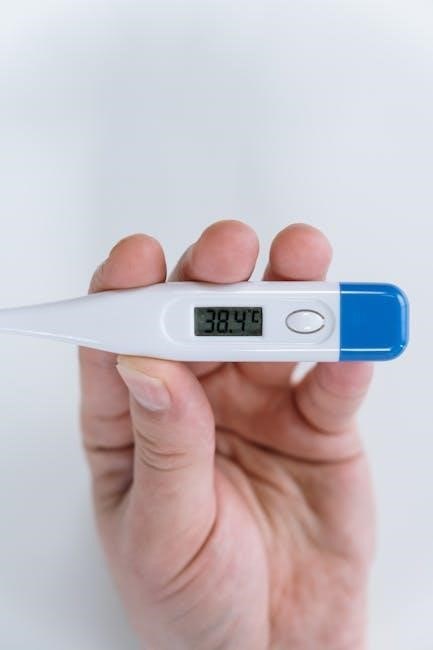
The display will briefly show the current unit before switching to the selected scale. Ensure you confirm the correct unit is displayed before taking critical temperature readings. This feature is invaluable for cooks accustomed to different measurement systems.
Consult the detailed button functions section of this manual for precise instructions on changing temperature units.
Care and Maintenance
Proper cleaning, probe care, and storage are essential for maintaining the accuracy and longevity of your ThermoPro TP15H/P15H thermometer.
Cleaning the Thermometer
Maintaining a clean ThermoPro TP15H/P15H is crucial for accurate readings and hygiene. After each use, wipe the stainless steel probe with a damp cloth and mild soap.
Avoid immersing the thermometer body in water, as it is not fully waterproof. The probe can be thoroughly cleaned, but the handle and electronic components should only be wiped clean.
For stubborn residue, a diluted vinegar solution can be used on the probe. Ensure all soap residue is removed before storing. Do not use abrasive cleaners or scouring pads, as these can damage the probe’s surface.
Regular cleaning prevents cross-contamination and ensures your thermometer remains a reliable tool in the kitchen for years to come.
Probe Care
The stainless steel probe of your ThermoPro TP15H/P15H is designed for durability, but requires careful handling. Avoid bending the probe excessively, as this can damage the internal sensor and affect accuracy.
Always insert the probe into the thickest part of the food, avoiding bone, fat, or gristle for precise temperature readings. Do not leave the probe inserted in hot food for extended periods, as this can cause damage.
After use, ensure the probe is thoroughly cleaned as described in the ‘Cleaning the Thermometer’ section. Store the thermometer with the probe protected to prevent accidental damage.
Proper probe care ensures consistent and reliable performance, extending the lifespan of your valuable cooking tool.
Storage Instructions
To maximize the lifespan of your ThermoPro TP15H/P15H, proper storage is crucial. Before storing, ensure the thermometer is completely dry, including the probe. Remove the battery if the thermometer will not be used for an extended period – several months or more – to prevent potential corrosion.
Store the thermometer in a cool, dry place, away from direct sunlight and extreme temperatures. Avoid storing it in areas with high humidity, as this can damage the electronic components.
A protective sheath or case is recommended to shield the probe from accidental bending or damage. Do not store the thermometer with heavy objects placed on top of it;
Following these simple storage instructions will help maintain the accuracy and functionality of your ThermoPro thermometer for years to come.
Troubleshooting Common Issues
Addressing inaccurate readings, display malfunctions, or power-on failures ensures optimal performance of your ThermoPro TP15H/P15H thermometer.
Inaccurate Readings
If your ThermoPro TP15H/P15H provides inconsistent or incorrect temperature readings, several factors could be at play. First, verify the battery is fresh, as low power can affect accuracy. Ensure the probe is correctly inserted into the thickest part of the food, avoiding bone or gristle.
Calibration is crucial; refer to the calibration procedure in this manual to adjust the thermometer if needed. A dirty probe can also cause errors – clean it thoroughly with a damp cloth.
Extreme temperature fluctuations or electromagnetic interference might temporarily impact readings. Allow the thermometer to stabilize before taking measurements. If issues persist, contact ThermoPro customer support for assistance, as it could indicate a sensor malfunction requiring attention.
Display Problems
Should the ThermoPro TP15H/P15H display exhibit issues – such as a blank screen, dim illumination, or garbled characters – begin by checking the battery. A weak battery is a common cause of display malfunctions. Replace it with a fresh one to see if the problem resolves.
Ensure the backlight function is activated if the display is simply too dim to read in low-light conditions. If the display remains unresponsive or shows incorrect information even with a new battery, try resetting the thermometer.
Avoid exposing the device to extreme temperatures or moisture, as this can damage the LCD. If the problem persists, contact ThermoPro customer support for further troubleshooting or potential repair options.
Thermometer Not Powering On
If your ThermoPro TP15H/P15H fails to power on, the first step is to verify the battery installation. Ensure the battery is correctly inserted with the proper polarity (+/-). A loose or incorrectly positioned battery will prevent the thermometer from functioning.
Next, replace the battery with a brand new one. Even if the existing battery shows some charge, it may not be sufficient to power the device. Confirm the battery type is correct – typically a CR2032 button cell.
If a new battery still doesn’t resolve the issue, inspect the battery compartment for any signs of corrosion or damage. Contact ThermoPro support if the problem continues, as it may indicate an internal malfunction.
Safety Precautions
Always insert the probe carefully to avoid injury. Do not expose the thermometer to extreme temperatures or moisture, and handle batteries responsibly.
Proper Probe Insertion
When utilizing the ThermoPro TP15H/P15H, correct probe insertion is crucial for accurate readings and safety. Insert the probe into the thickest part of the food, avoiding bone, fat, or gristle, as these can skew the temperature. Ensure the probe tip is fully submerged within the food’s center for a reliable measurement.
Angle the probe to prevent it from touching the sides or bottom of the cooking vessel. For thinner foods, insert the probe at a slight angle. Always exercise caution to avoid injury during insertion. Never leave the probe unattended in hot ovens or grills. Remember, a properly inserted probe delivers precise temperature data, ensuring perfectly cooked meals every time;
Avoiding Damage to the Thermometer
To ensure the longevity of your ThermoPro TP15H/P15H, careful handling is essential. Avoid dropping the thermometer, as internal components are sensitive to impact. Do not expose the unit to extreme temperatures outside its operating range. While waterproof, prolonged submersion should be avoided.
Never use abrasive cleaners or scouring pads on the thermometer’s surface. Avoid bending or twisting the probe excessively, as this can cause damage. Store the thermometer in a safe, dry location when not in use. Proper care prevents malfunctions and maintains the accuracy of your cooking companion, guaranteeing years of reliable service.
Battery Safety
The ThermoPro TP15H/P15H operates on a battery; observe these safety precautions. Always insert batteries with the correct polarity, as indicated within the battery compartment. Do not mix old and new batteries, or different types of batteries. Remove batteries if the thermometer will not be used for an extended period to prevent leakage and corrosion.
Dispose of used batteries responsibly, following local regulations for battery recycling. Keep batteries out of reach of children and pets. Do not attempt to recharge non-rechargeable batteries. Avoid short-circuiting the battery terminals. If leakage occurs, clean the battery compartment with a dry cloth and avoid contact with skin.
Warranty Information
ThermoPro provides a warranty for the TP15H/P15H, ensuring quality and customer satisfaction. Contact support for details and product registration information.
ThermoPro Warranty Details
ThermoPro stands behind the quality of its products, including the TP15H/P15H thermometer. This product is covered by a warranty against defects in materials and workmanship for a specified period, typically one or two years from the date of original purchase. The warranty covers repair or replacement of the thermometer at ThermoPro’s discretion.
Damage caused by misuse, abuse, improper cleaning, or unauthorized modifications is not covered. Proof of purchase, such as a receipt or order confirmation, is required to validate any warranty claim. The warranty is non-transferable and applies only to the original purchaser. ThermoPro aims to provide prompt and efficient warranty service to ensure customer satisfaction.
Contacting Customer Support
ThermoPro offers multiple channels for customers needing assistance with their TP15H/P15H thermometer. For quick answers to frequently asked questions, visit the ThermoPro website’s support section. You can also reach their customer support team via email, typically responding within 24-48 hours.
ThermoPro often provides a dedicated email address for warranty claims and technical issues. Some resources suggest looking for contact information on Amazon, where the product is frequently sold. Detailed manuals and troubleshooting guides are available online to help resolve common problems independently. ThermoPro prioritizes customer satisfaction and strives to provide helpful and timely support.
Registering Your Product
Registering your ThermoPro TP15H/P15H thermometer unlocks several benefits, including streamlined warranty service and access to exclusive updates. While not always explicitly stated in basic documentation, product registration often allows ThermoPro to notify you of important firmware updates or safety recalls.
Check the packaging or included documentation for a specific registration link or QR code. Alternatively, visit the official ThermoPro website and navigate to the product registration section. You’ll likely need your product’s serial number, found on the device itself or the packaging, to complete the process. Registration demonstrates proof of purchase and simplifies future support requests.